
Priority Checkout
A fully branded checkout experience — secured and powered by Priority.
Priority’s Ready-to-launch solution enables businesses to offer a fully branded, enterprise-grade payment experience without building or managing complex payment infrastructure. The checkout and payment flows are powered securely by Priority in the background, while the entire interface reflects your brand's logo, colors, fonts, domain, and messaging.
Customers remain within your branded environment, but sensitive card data is captured and processed inside a PCI-compliant hosted layer, ensuring your servers never handle raw payment information.
How it Works?
From an end-to-end standpoint:
- When a customer initiates a payment, the white-labeled checkout loads under your domain and branding.
- Card data is securely collected within Priority’s hosted environment, instantly tokenized, and processed with built-in fraud controls.
- You receive the final transaction status and webhook updates, while receipts, saved cards, and global payment method logic are automatically managed. This allows you to scale payments globally while minimizing compliance scope and engineering effort.
- Fully branded checkout and paylinks are served under your domain.
- PCI-compliant tokenization and authentication are handled entirely by Priority.
While the primary goal of the checkout widget is to process an immediate transaction, it also includes a built-in feature to save cards for future purchases. When developers configure the widget, they can pass specific nodes to enable this add-on feature. This prompts the customer to securely save their credit or debit card during their live checkout session, for faster future checkouts.
Below is a sample representation of the checkout form generated via the Priority Checkout integration. The form is dynamically rendered and configurable based on your implementation settings.
Change image to show Saved Cards, with Button to Save Card . Also, label each section. Add to images , one time payment (without save card option), one with saved cards.
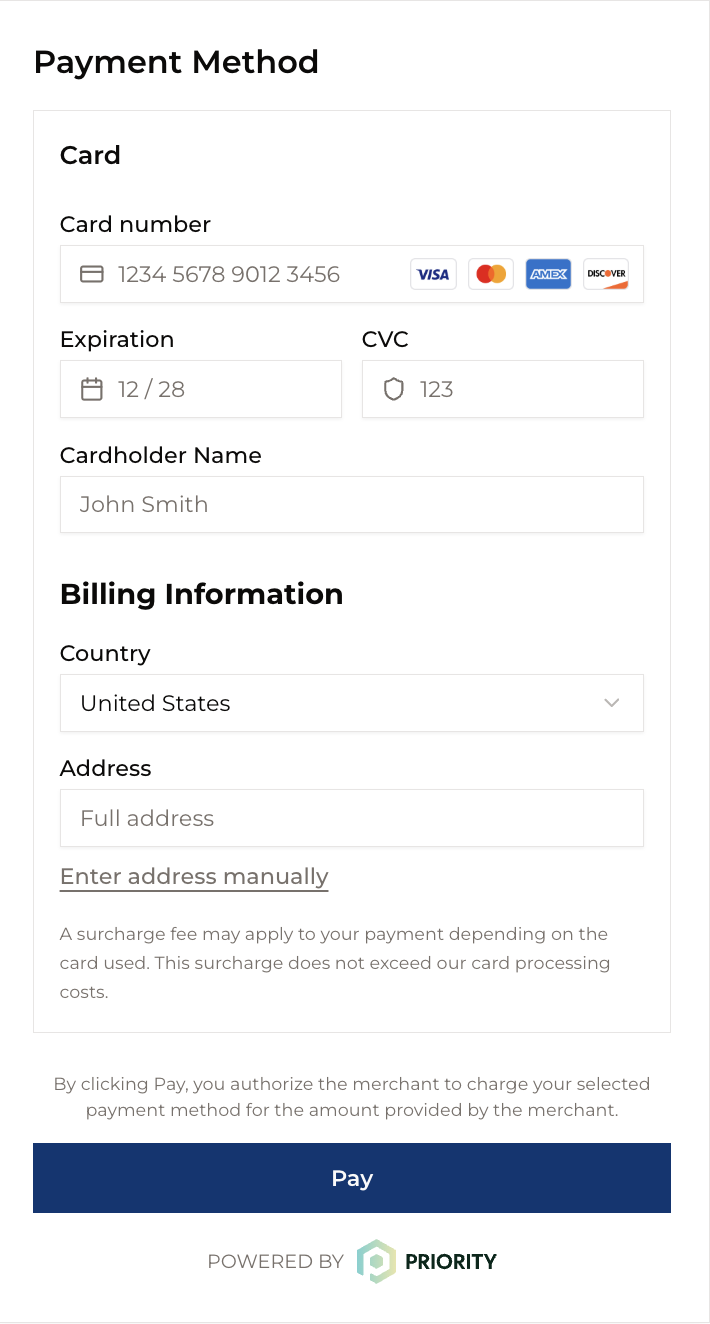
Priority checkout form Sample: Card Payments
Payment Flow
The embedded, white-label payment flow begins the moment a customer initiates a Payment on your website or app. While the experience appears fully native to your brand, multiple secure steps occur instantly in the background to authorize and process the transaction.
-
Initiation: When the customer enters their card details into the widget, your server has already created a secure session by requesting a temporary authorization token (known as a
clientSecret) from the payment provider. This ensures the transaction is pre-authenticated and session-specific. -
Secure Capture & Encryption: Once submitted, the card details are immediately encrypted within the host. The sensitive data bypasses your servers entirely and is transmitted directly to the payment gateway, keeping your systems out of PCI scope.
-
Routing & Authorization: The gateway routes the encrypted request to the appropriate processor and card network (e.g., Visa, Mastercard, Amex), which then forwards it to the customer’s issuing bank. The bank validates funds, checks for fraud, and returns an approval or decline response.
-
Response & Confirmation: The authorization result is instantly sent back to your application via secure callbacks.
- On success, you receive a transaction ID, display a success message, and proceed with order fulfillment.
- On failure, the error is returned so the customer can retry.
-
Settlement: After authorization, the funds are transferred from the customer’s bank to your merchant account during settlement, completing the financial cycle.
Security and Compliance Guidelines
Maintaining a secure payment environment is a shared responsibility. While the widget significantly reduces your compliance burden by keeping sensitive data out of your environment, these five pillars ensure the integrity of every transaction.
-
Generate Client Secrets only from your backend: Never expose your secret API key in frontend code or public repositories. The Client Secret API must be called exclusively from your server.
-
Use HTTPS in Production: Ensure your application is served over HTTPS so that communication between your page and the widget remains secure.
-
Use one Client Secret per Session: Create a new client secret for every checkout session. Do not reuse secrets that are expired or already consumed.
-
Restrict allowed origins (if supported): Configure
security.allowedOriginwith your frontend origin (e.g., https://yourdomain.com) to restrict which domains can interact with the widget. -
Handle errors securely: Within
onError, log only the necessary details for troubleshooting. Avoid exposing sensitive or internal error information to end users.
Updated 1 day ago